Habit & focus tracker for Android

Build habits that actually stick.

Aim for more of the habits you want and cap the ones you don’t. Count with a tap, time it with a stopwatch or a Pomodoro-style focus session, and play routines step by step. Everything you log counts toward your goals automatically.

Free · Android · In‑app purchases

  • Daily & weekly goals
  • Focus timer
  • Routines
  • Streaks & stats
  • Home-screen widget
  • English & German
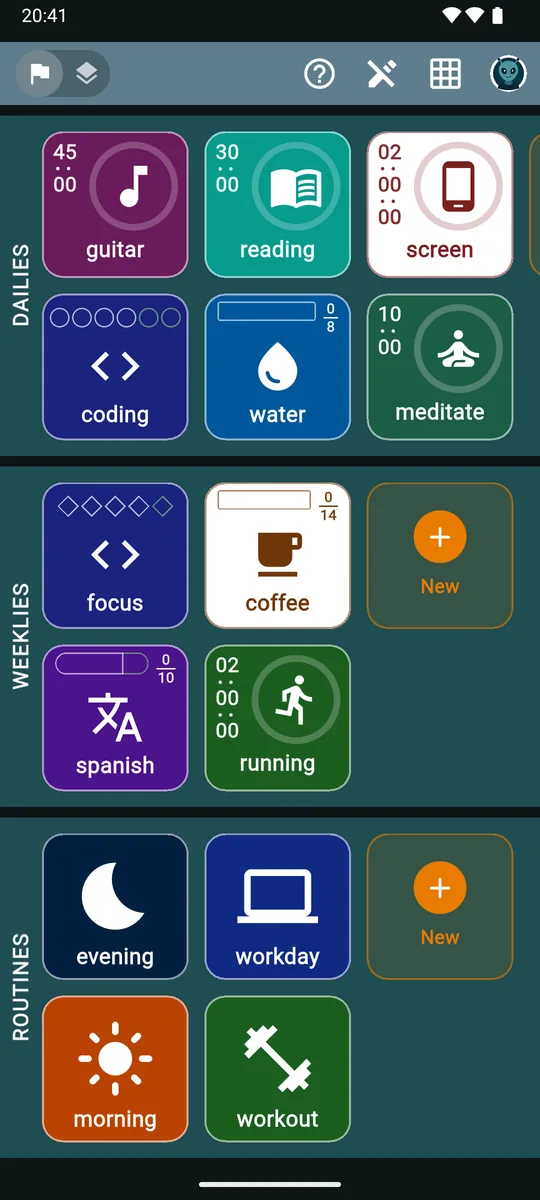
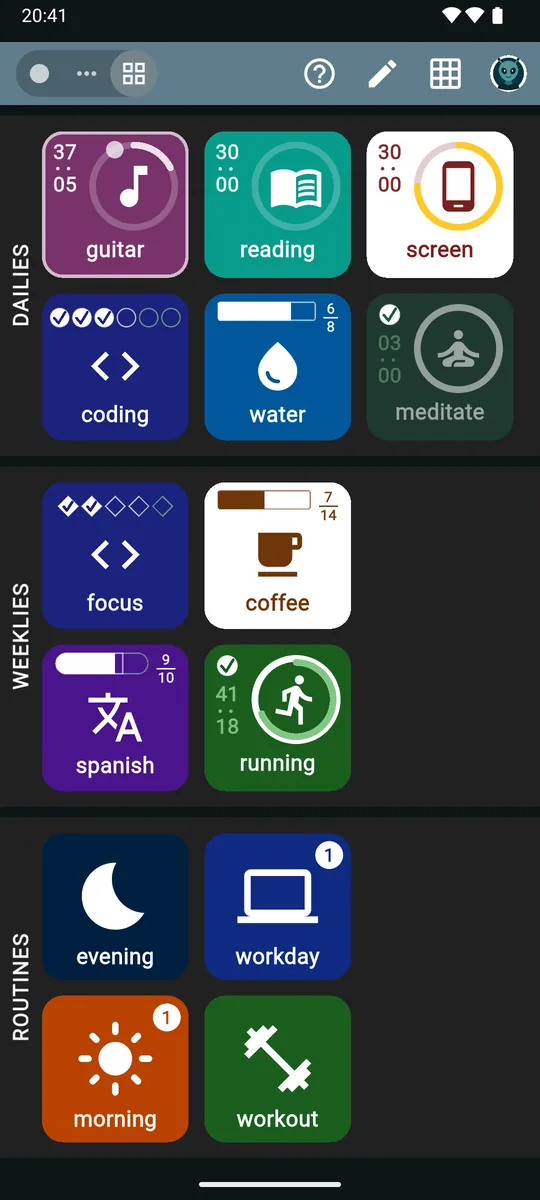
The zoevo main screen: colored tiles in three sections. Dailies show a running guitar stopwatch, reading and screen-time timers, three of six coding sessions, water at 6 of 8 and a completed meditate goal. Weeklies show focus, coffee, spanish and running. Routines show evening, workday, morning and workout.

01How it works

Three steps from “I should” to “I did”.

  1. Step 1

    Pick what to track

    Tallies you tap to count, stopwatches you start and stop, and focus sessions with a set length. Not sure where to begin? The setup wizard suggests a starting set.

  2. Step 2

    Set daily & weekly goals

    Aim for at least a number, or cap what you want less of. Choose the weekdays that count, add a reminder, and let a weekly goal count how many days you kept a daily.

  3. Step 3

    Run routines, watch streaks grow

    Tap to log, play through your routines, and open the Timeline to see what you hit, stretched, skipped or missed, with a streak flame and a success rate for every daily.

02Goals that fit

Aim for more. Cap what you want less of.

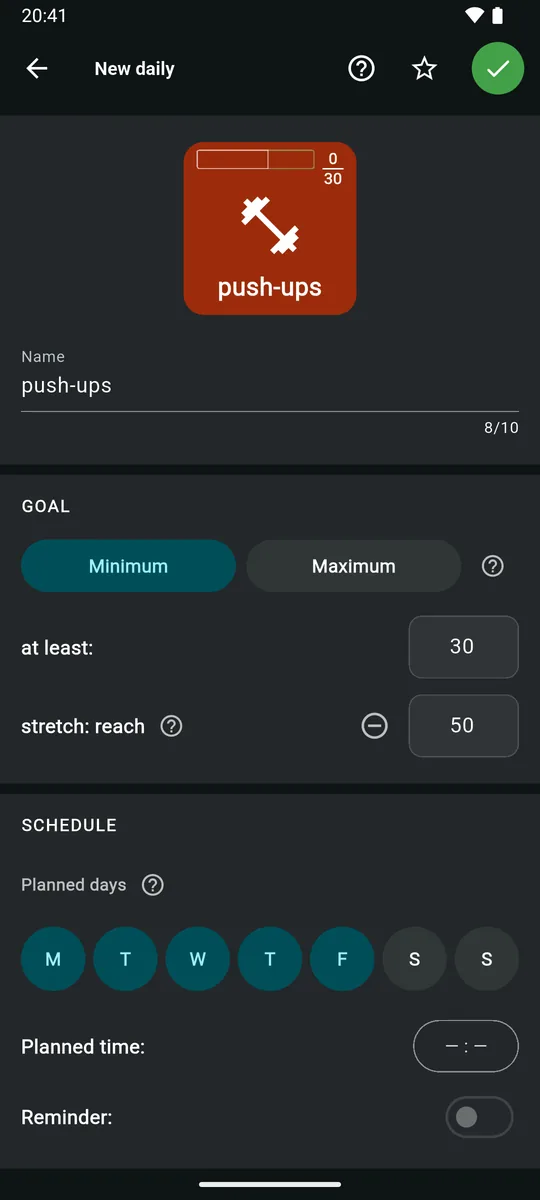
Every goal has a direction. Aim for at least 30 minutes of reading, or set a maximum you want to stay under, like two hours of screen time or a few cups of coffee.

  • Minimum (Aim) or Maximum (Cap). Landing exactly on a cap is still a success; one more is a breach. Cap marks turn amber, then orange, then red as you get close.
  • Stretch goals. Give a Minimum goal a second, higher target. Standout days show up in a richer green.
  • Planned days and reminders. Pick the weekdays that count. Unplanned days never count against you, and a reminder can nudge you at your planned time.
  • Daily and weekly. Weekly goals add up across the whole week, or count the days you completed one of your dailies.

MinimumAim: at least 4,
stretch to 6

MaximumCap: at most 5,
3 used so far

  • Logged toward the target
  • Stretch slot
  • Used up of a cap
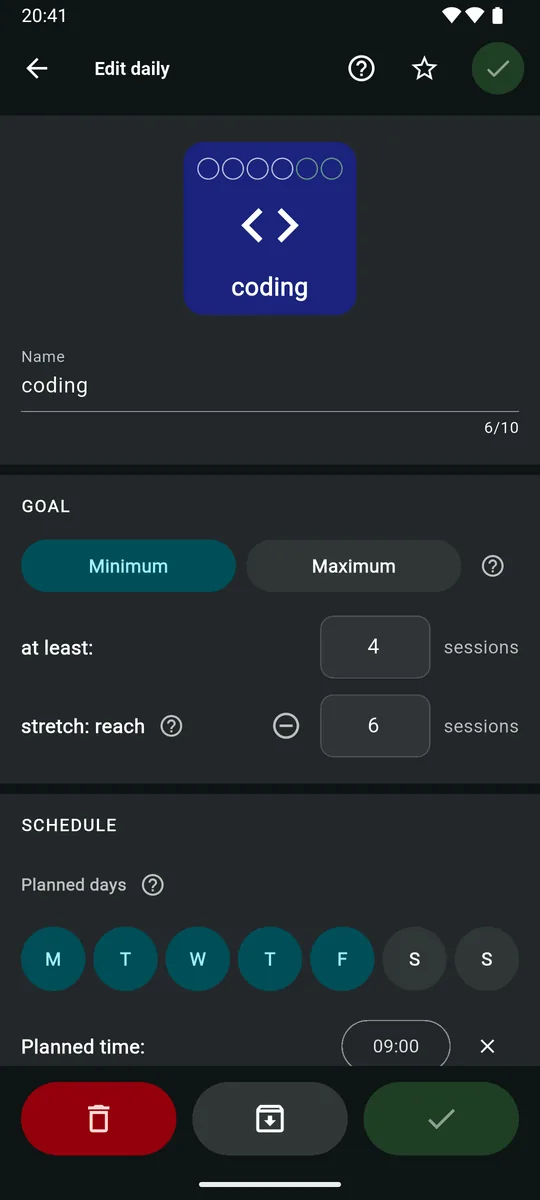
New daily editor for push-ups: Minimum selected, at least 30, a stretch goal of 50, planned Monday to Friday, with planned time and reminder below.

03Three ways to track

Count it, time it, or focus on it.

Log it once and it counts everywhere: the same reading minutes fill your daily goal and your weekly goal, and a routine’s reading step adds to both.

  • Focus sessions

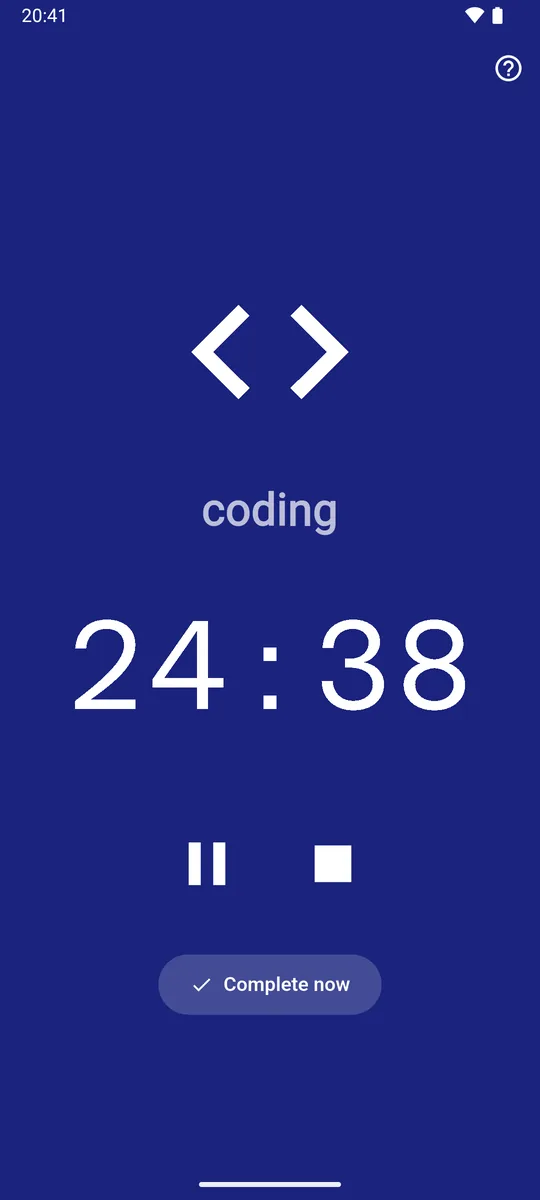
    Pomodoro-style sessions from 1 to 240 minutes, 25 by default. Every finished session counts as one, and Complete now logs it early. Breaks are yours to take.

  • Tallies

    One tap adds one: glasses of water, push-ups, pages. Long-press to fix a miscount.

  • Stopwatches

    Tap to start, tap to stop; the minutes add up for the day. Run several at once. (In the app they’re called Timers.)

A focus session for coding on a full indigo screen, counting down at 24:38, with pause and stop buttons and a Complete now button.
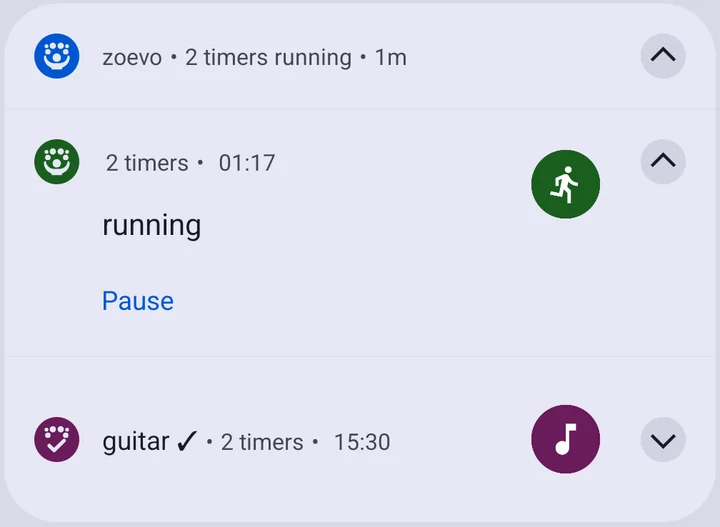
Android notification from zoevo: 2 timers running. The running stopwatch shows 01:17 with a Pause button; below it, guitar with a check mark at 15:30.
Controls in your notification shade. Running focus sessions and stopwatches show live time with Pause and Continue, even when the app is closed.

04Routines

Routines that walk you through, step by step.

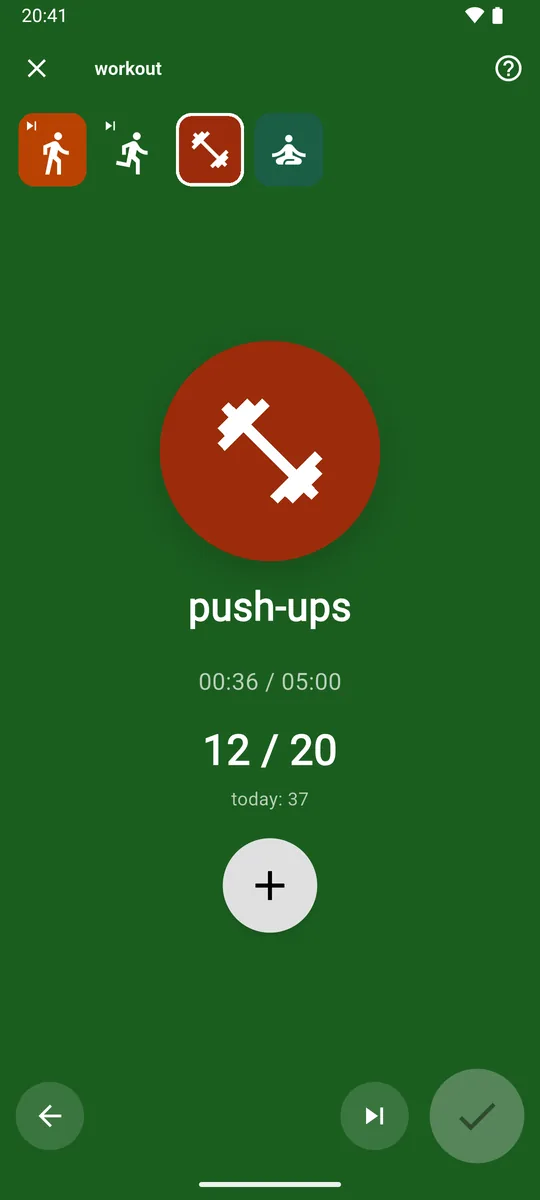
Line up a morning, a workout or a wind-down, and zoevo plays it back one step at a time with the clock running.

  1. warm-upTimed block, skipped
  2. runStopwatch, done
  3. push-upsTally, current step, 12 of 20
  4. cool downTimed block, up next
  • Four kinds of steps: timed blocks, tallies, focus sessions and stopwatches.
  • Progress counts toward your goals automatically. Every +1 and every finished focus session is logged the moment it happens.
  • Pause and continue later the same day, right where you left off.
  • Start blank or from a template: wake-up, commute, evening, bedtime and more in small, medium or large, plus a weekly review and a weekend reset.
The workout routine on its push-ups step: a strip of four steps at the top, 12 of 20 counted, 00:36 of 05:00 elapsed, and a large plus button.
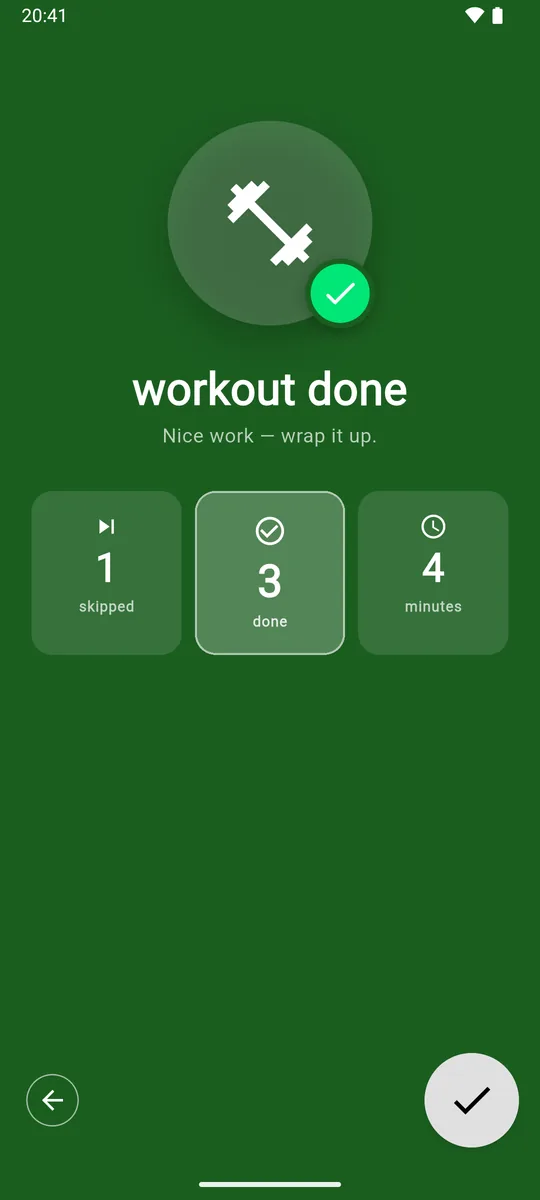
The end of the routine: workout done, with 1 skipped, 3 done and 4 minutes, and a check button to finish.

05See your progress

Streaks, success rates and the whole story.

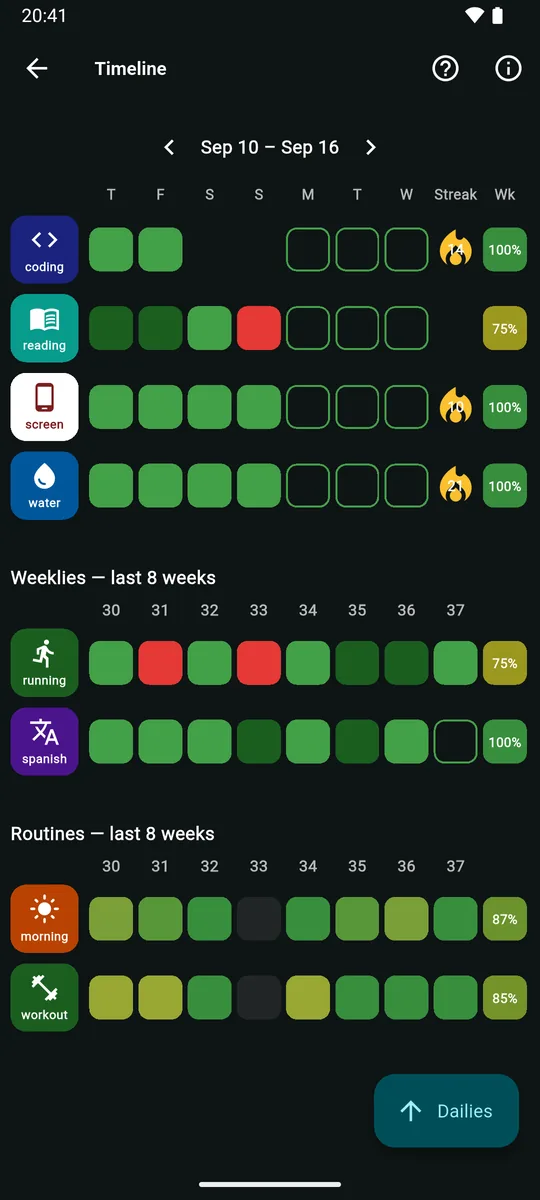
Every goal’s week at a glance, with streak flames that change color as they grow and a success rate that rewards bonus days.

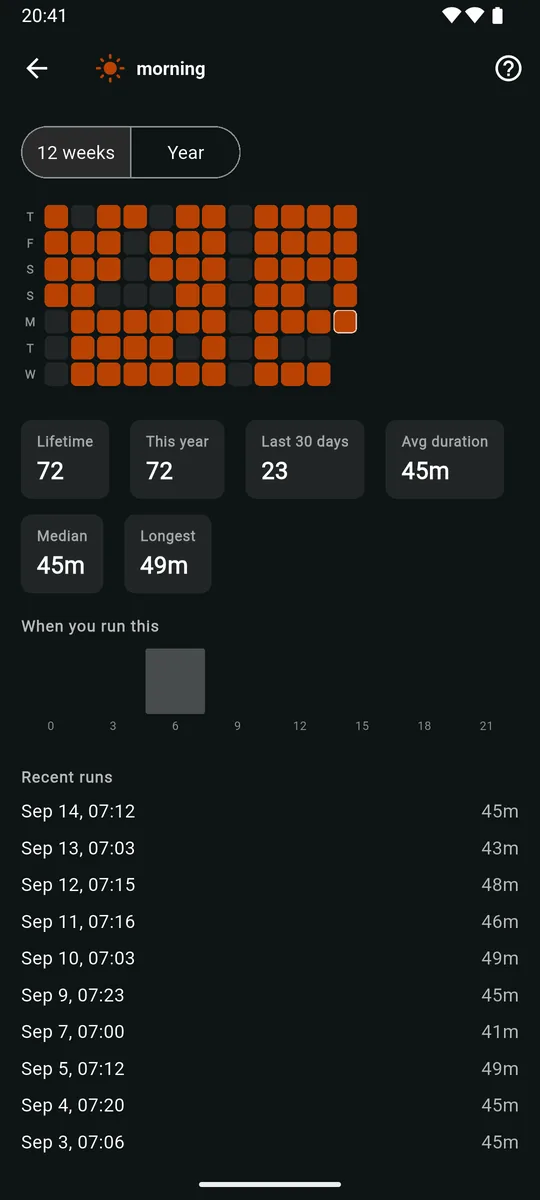
  • Calendar history and charts for every habit, plus run history for routines: lifetime runs, average duration and when you usually run them.
  • Mark a day skipped or missed, and backfill what you forgot to log.
  • Unplanned wins count as a bonus, so a good week can top 100%.
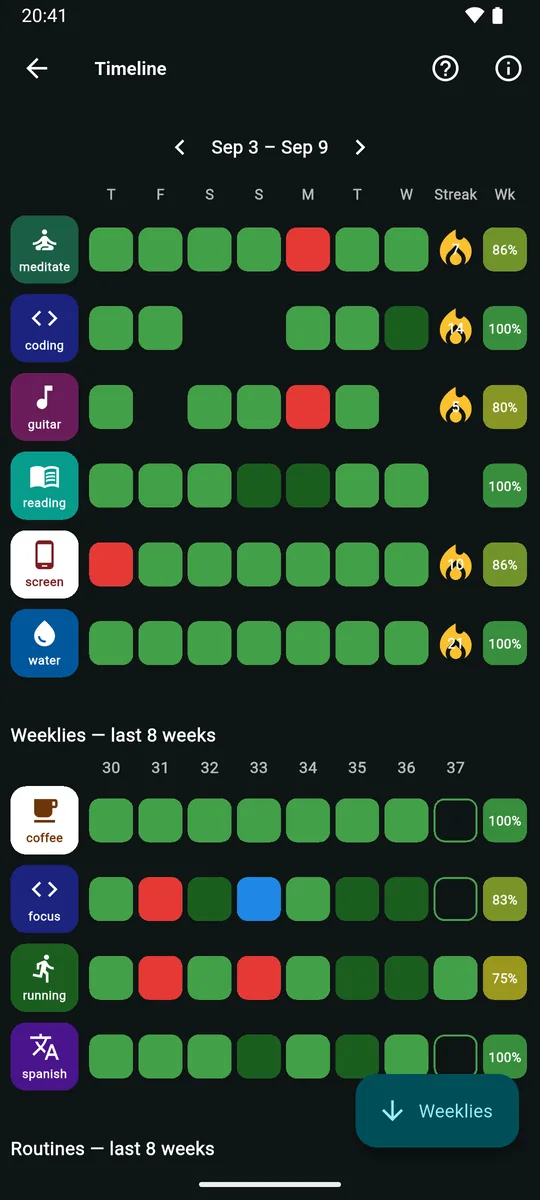
Timeline for Sep 3 to Sep 9: six dailies with green, dark-green and red days, streak flames and weekly success rates between 80 and 100%, then weekly goals over the last 8 weeks.
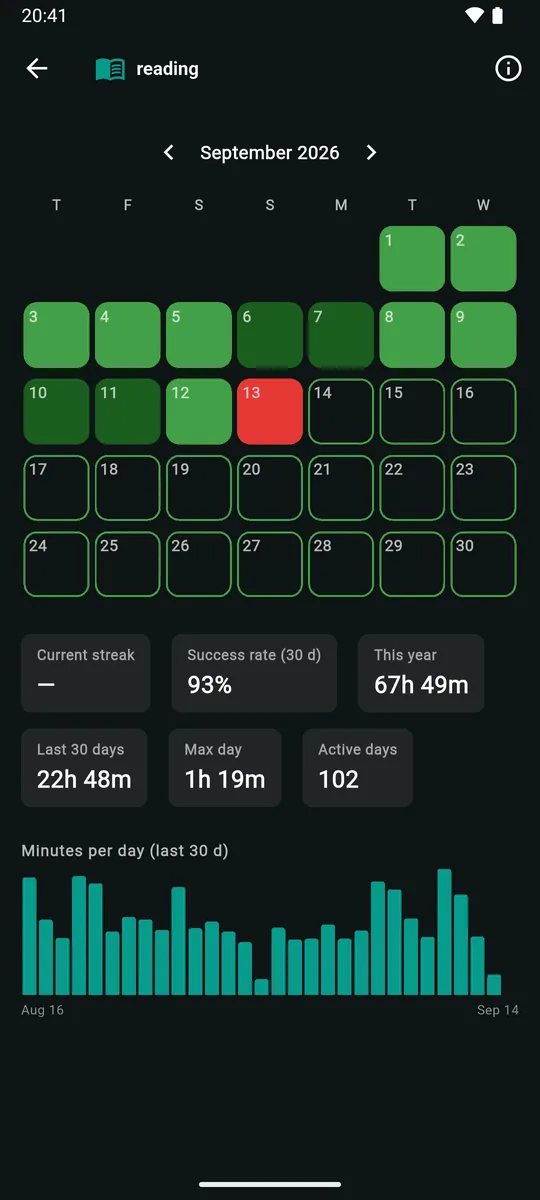
Daily history for reading: a September calendar colored by result, a 93% success rate over 30 days, totals for this year and the last 30 days, and a minutes-per-day bar chart.

Timeline an example week

  • Target met
  • Stretch goal hit
  • Met on an unplanned day
  • Missed
  • Skipped
  • Planned

Streak flames

  • 1 day
  • 30 days
  • 90 days
  • 200 days
  • 365 days

The flame changes color as a streak grows. Planned days you hit keep it going, and so do days you hit without planning them. A skipped day never breaks it; a missed day or a breached cap starts it over.

Start with one habit today.

Free on Google Play · No ads · No account needed

Get it on Google Play

06Plan your week

Shape next week before it starts.

Travel, a packed Tuesday, a long weekend: open Plan the week and choose which daily goals and routines count on which day.

  • A “plan now” button appears at the end of each week. Hold it to dismiss it for the week or turn it off.
  • Highlight special days, then plan or clear a whole day in one tap, or adjust single goals and routines.
  • Changes save instantly. Add an optional planning reminder and start your week on any day you like.
  • Away for a day? Unplan it rather than skip it. If you do the habit anyway, it still counts.
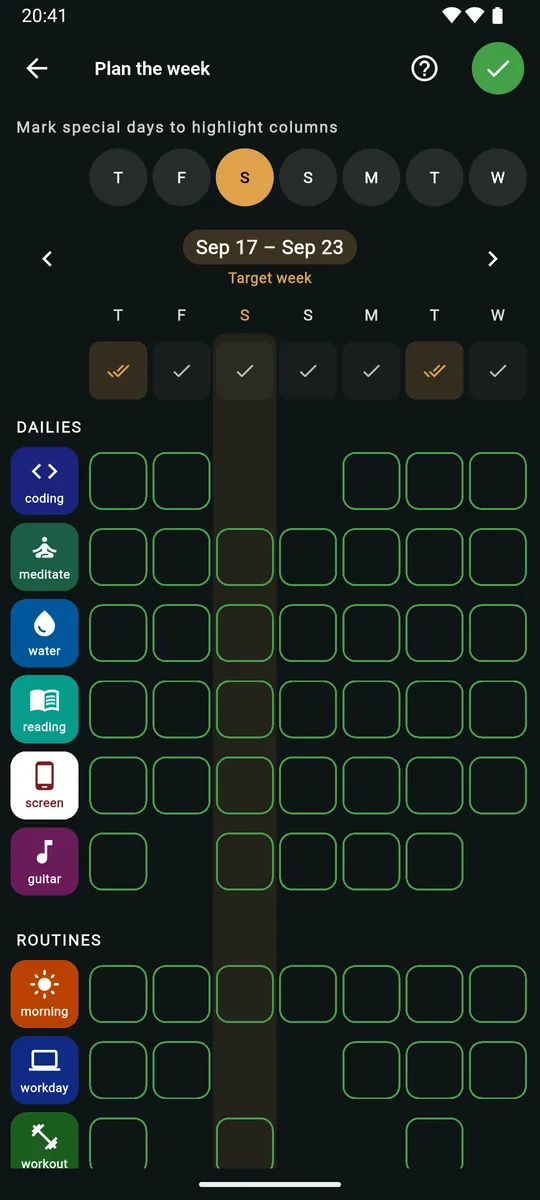
The Plan the week screen: special-day pills along the top with one day highlighted in amber, the target week Sep 17 to Sep 23, and a grid of dailies and routines with a cell for each day.

07Everyday details

The small things that make it stick.

A setup wizard that listens

Pick from twelve interests, say how much time you have on weekdays and weekends, and choose the parts of your day to anchor. zoevo suggests dailies, weeklies and routines you can edit before anything is created. Or start from examples, or from nothing.
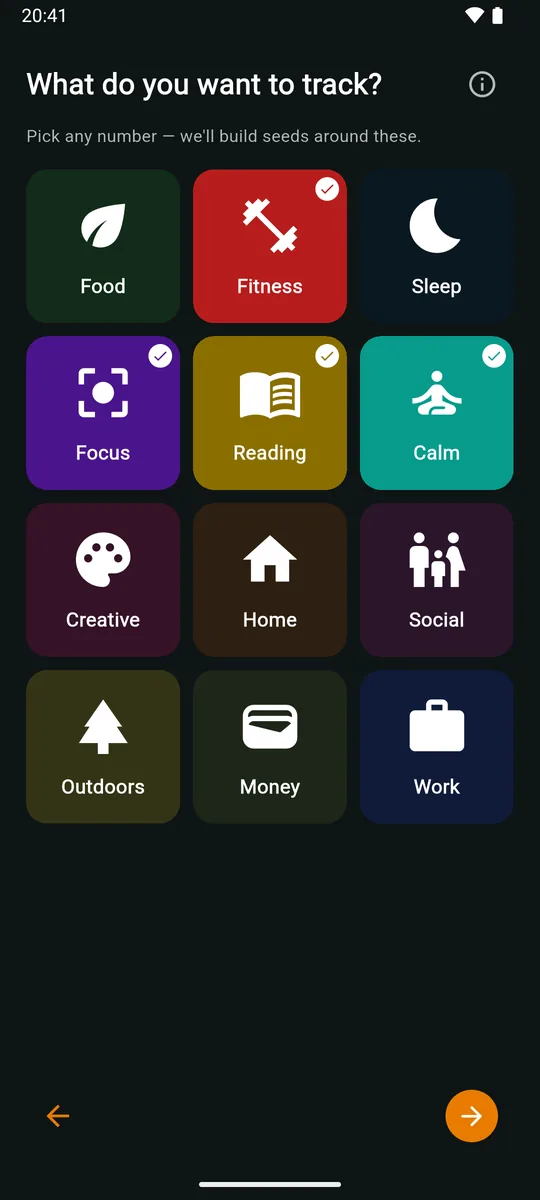
Setup wizard asking What do you want to track?, with twelve interest tiles such as Food, Fitness, Sleep, Focus and Reading, several of them selected.

Simple or Advanced

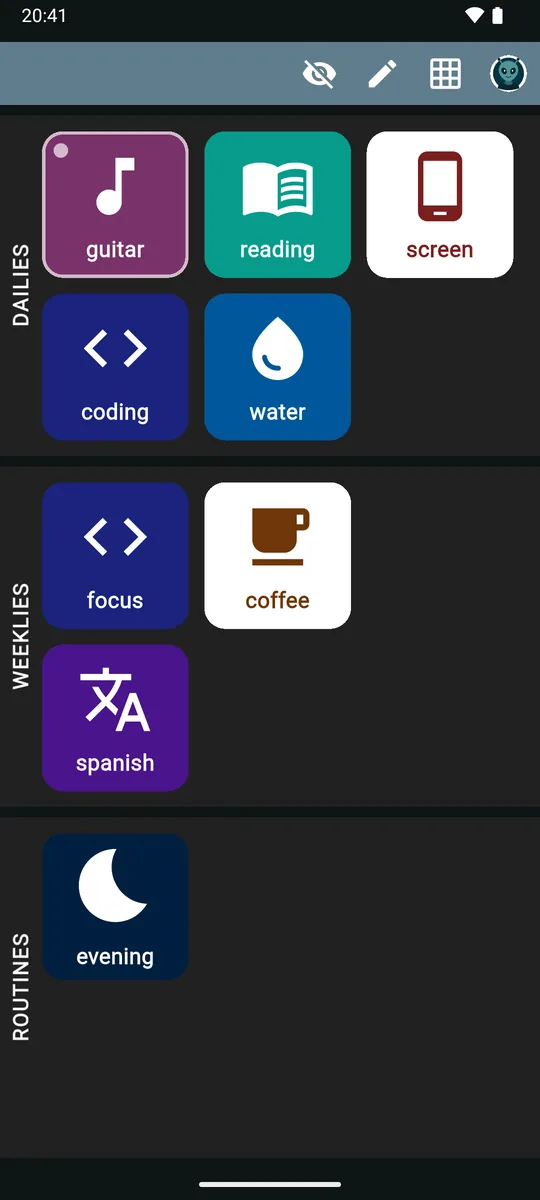
Advanced shows every mark, ring and number. Simple trims each tile to an icon and a name and lists only what’s still to do today, with the rest one tap away.

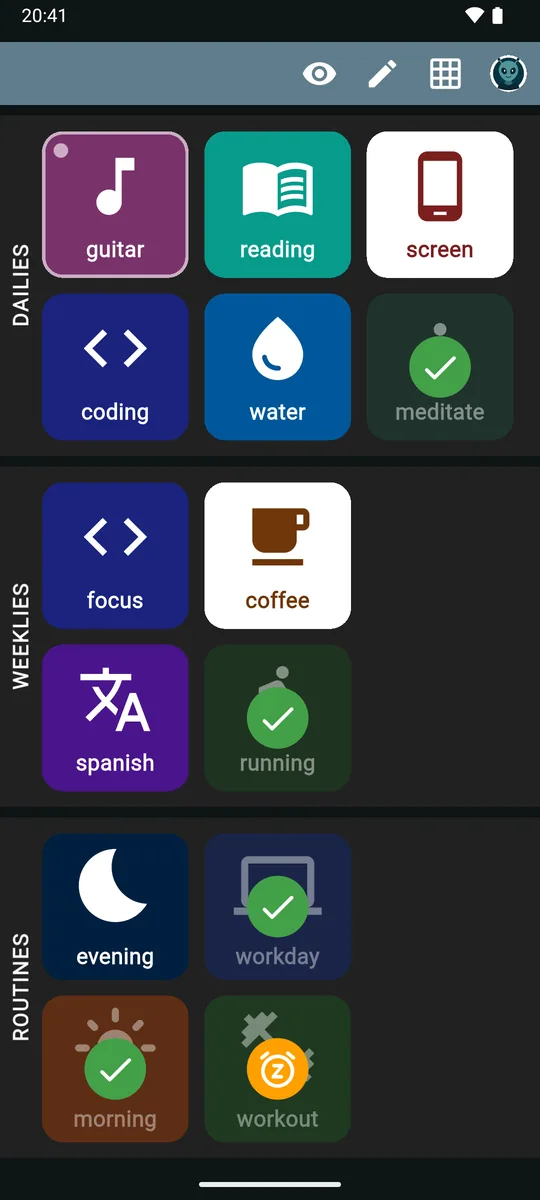
Simple mode: plain tiles with only an icon and a name, showing the goals and routines still outstanding today.

Home-screen widget

Link a widget to a tally to add one, to a stopwatch to start or stop it, or to a focus session to start one, in a single tap from your home screen. zoevo opens to confirm.

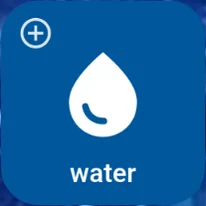
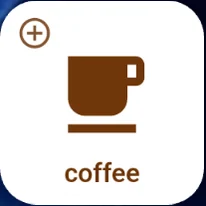
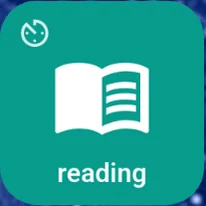
zoevo widget linked to the water tally zoevo widget linked to the coffee tally zoevo widget linked to the reading stopwatch

Sync, or stay a guest

zoevo works fully offline without an account. Sign in with Google to back up your data and pick up where you left off on another device.

No ads, no analytics, no tracking.

English & German

zoevo follows your device language, or you can pick one in the app.

  • English
  • Deutsch

09zoevo+

Free to start. zoevo+ when you want more.

The free version includes every way to track, routines, the Timeline, the widget and sync. zoevo+ lifts the limits.

Free compared with zoevo+
FeatureFreezoevo+
Active daily goals5Up to 99
Active weekly goals3Up to 99
Active routines1Up to 99
Tallies, stopwatches & focus trackersUp to 99 of eachUp to 99 of each
Goal historyThis week + 4 weeks backYour complete history
Icons & colors24 icons, 10 colorsAll 224 icons, 28 colors

Goal history covers the Timeline and each daily’s history. CSV export is planned for zoevo+ and not available yet.

14days free

Try zoevo+ before you decide

In the app, tap Upgrade to zoevo+ on the Account screen, then Start 14-day free trial. No sign-in needed. Afterwards, choose a monthly or yearly subscription through Google Play, which shows the price before you pay.

  • Nothing is ever deleted. If a trial ends while you’re over the free limits, the newest extra items are locked until you archive something or upgrade.
  • Archived items don’t count toward the limits.
Get it on Google Play

10FAQ

Questions, answered.

Want the full tour? The manual walks through every screen, with how-tos and troubleshooting.

Read the manual
Is zoevo free?

Yes. zoevo is free to download and use, with every way to track, routines, the Timeline, the widget and sync. The free plan covers up to 5 daily goals, 3 weekly goals and 1 routine at a time.

zoevo+ is an optional subscription that raises those limits to 99, unlocks your complete history and every icon and color. You can try it free for 14 days.

Do I need an account? Does it work offline?

No account needed. As a guest, zoevo works fully offline and keeps your data on your phone. Sign in with Google to back up your data and sync it across devices; it keeps working offline when signed in, too.

Buying zoevo+, redeeming a promo code and restoring a purchase need a Google sign-in. The free trial doesn’t.

Does zoevo have ads or track me?

No. zoevo has no ads, no analytics and no crash reporting. As a guest, nothing you track is sent to us; if you sign in, your data syncs to your own account through Google Firebase. The privacy policy has the details.

Is zoevo available for iPhone?

No. zoevo is only available for Android, on Google Play.

Can I track habits I want to do less of?

Yes. Every goal has a direction. Minimum (Aim) is a target to reach, like at least 30 minutes of reading; reaching it exactly counts.

Maximum (Cap) is a limit to stay under, like at most two hours of screen time or two coffees. Landing exactly on the cap is still fine; one more is a breach, shows as missed right away and starts a daily’s streak over. Because you could still go over, a Cap day only turns green once the day is over.

Do reminders and timers work when the app is closed?

Yes. Reminders are scheduled on your phone, and running focus sessions and stopwatches stay in your notification shade with Pause and Continue. Allow notifications, and allow Alarms & reminders so a focus session ends right on time.

Goal reminders can arrive a few minutes late, because Android delivers them in batches to save battery. If they don’t arrive at all, exclude zoevo from battery restrictions.

Does the focus timer handle breaks?

Not automatically. A focus session is one block of a set length, 25 minutes unless you change it, and each finished session counts as one. Take your break, then start the next session.

What happens when my trial ends?

Nothing is deleted. If you have more goals or routines than the free plan allows, the newest ones beyond the limit are locked: still visible, but read-only. Archive or delete something to unlock the next one, or upgrade to unlock everything.

How do I cancel zoevo+?

Subscriptions run through Google Play, so you manage and cancel them in the Play Store under Payments & subscriptions.

What about my data and privacy?

Our privacy policy explains what zoevo stores and why. In the app, the Data deletion section of the Account screen lets you clear your timeline, delete all your data or delete your account. You can also request deletion by email.

This website sets no cookies and loads nothing from third parties.

Every streak starts at day one.

Get zoevo free on Google Play, with no ads and no account needed, and let the setup wizard suggest your first goals.

Free · Android · In‑app purchases

Get it on Google Play